If you have 700 unconverted leads sitting in your CRM, the problem is not the leads. The problem is that your dead lead template was written once, applied uniformly, and sent without any signal-based logic. AI changes this by letting you classify each lead's behavioral state before a single word is drafted, then generate outreach that reflects what that specific person was doing right before they went cold.
This post explains a specific reactivation pattern called the Cancel-Smoke sequence. It is designed for training and certification companies where a prospect engaged with a program page, possibly started a checkout or inquiry flow, and then disappeared. The sequence uses AI-based intent classification, LLM-driven email drafting, and automated CRM enrichment to run personalized reactivation at a scale no human writing team can match.
What the Cancel-Smoke Pattern Actually Means
The name describes the behavioral signal you are targeting. "Cancel smoke" refers to leads who showed high-intent behavior (viewing pricing, starting enrollment, downloading a syllabus, attending a webinar) but never converted. They did not explicitly cancel. They just stopped. The smoke is the residue of intent left in your event data.
AI makes this pattern actionable by doing the classification work that most teams skip. An LLM connected to your CRM and behavioral event log can label each lead with a cancel-smoke score based on recency of last high-intent action, number of touchpoints before drop-off, and content type consumed. This is not a manual segment. It is an inference layer that runs continuously and outputs a prioritized list before your team writes a single word.
The output of this step is a scored cohort, typically 50-200 leads from a 700+ pool, where reactivation probability is highest. You do not send this sequence to everyone. That is the first place most dead lead template approaches fail.
How AI Segments the Dead Lead Pool Before You Draft Anything
The segmentation step is where most reactivation programs lose before they start. Teams export a list, filter by "no purchase in 90 days," and call that a segment. AI-based intent classification does something different.
Using a retrieval-augmented classification model trained on your historical conversion data, the system looks at each lead's full event sequence and assigns a decay pattern. Three patterns matter here:
- Price-friction decay: Lead viewed pricing, did not convert. Last action was on a pricing or comparison page.
- Timing decay: Lead engaged across multiple sessions over a compressed window, then stopped. Signal suggests a calendar or budget cycle blocked them.
- Social proof gap: Lead consumed testimonial or outcomes content heavily but never reached checkout. Signal suggests credibility uncertainty.
Each decay pattern triggers a different dead lead template variant. This is not manual copywriting. An LLM takes the decay label, the program name, relevant outcome proof points from your knowledge base, and any CRM enrichment data (company size, role, prior support tickets) and drafts a three-email sequence tailored to that pattern.
The key technical step here is connecting the LLM to a RAG (retrieval-augmented generation) pipeline that pulls from your actual program outcomes data, alumni results, and current enrollment details. Generic reactivation emails fail because they say nothing specific. RAG-grounded drafts reference real program elements, which is why open rates on AI-generated sequences built this way consistently outperform manually written blasts.
The Three-Email Structure and What AI Generates at Each Step
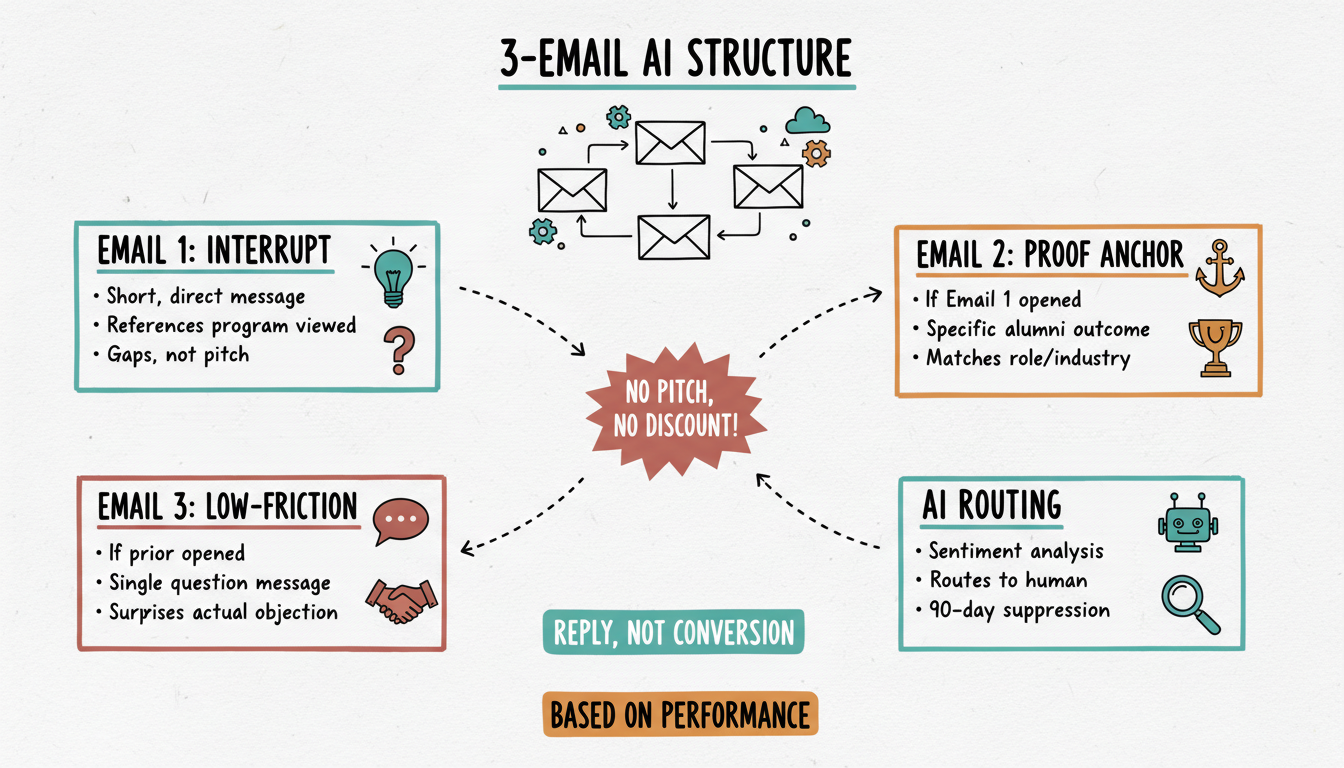
The Cancel-Smoke sequence runs three emails over 14 days. Each email is generated with a distinct job.
Email 1 - Day 1: The Pattern Interrupt
The LLM drafts a short, direct message that references the specific program the lead viewed and names the gap between where they are now and the outcome the program produces. No pitch. No discount. The goal is to surface whether the barrier was timing, price, or doubt. The subject line is generated using a curiosity-gap formula the model has been trained on from your highest-performing historical sends.
Email 2 - Day 5: The Proof Anchor
Triggered only if Email 1 is opened but not replied to. The model pulls a specific alumni outcome from the RAG pipeline that matches the lead's role or industry (inferred from CRM enrichment). It frames the outcome in terms of the lead's likely business goal. If enrichment data shows the lead is a VP at a 50-person SaaS company, the proof point surfaces is not a generic testimonial. It is the closest match in your outcomes library to that profile.
Email 3 - Day 14: The Low-Friction Ask
This email is generated only for leads who opened both prior emails without converting. The model drafts a single-question message designed to surface the actual objection. Something like: "Is timing still the issue, or did something change about what you need?" The goal is a reply, not a conversion. A reply routes the lead to a human follow-up queue.
AI handles the routing decision too. Leads who reply are automatically scored by sentiment analysis and passed to a rep with a suggested response frame. Leads who do not engage after all three emails are flagged for a 90-day suppression window before re-entry into a new sequence.
What You Need in Place Before Running This
The Cancel-Smoke pattern requires three things that many teams do not have clean:
Behavioral event data connected to CRM records. If your web analytics and CRM are not linked at the contact level, the classification model has nothing to work with. This is the most common blocker.
A structured outcomes library. The RAG pipeline needs source material. If your alumni results, testimonials, and program outcomes are sitting in PDFs and Google Docs with no structure, the model will hallucinate or default to generic copy. Building a clean, tagged knowledge base is a prerequisite, not an optional upgrade.
Defined decay thresholds. You need to decide what counts as a cancel-smoke lead vs. a fully cold lead. This is a business logic decision, not an AI decision. Setting the wrong threshold floods your sequence with low-probability leads and dilutes performance.
If these are not in place, the sequence produces unreliable output. The AI capability is sound. The infrastructure has to meet it.
Measuring Whether the Sequence Is Working
The only metric that matters at 30 days is reactivated pipeline value, not open rates. Open rates tell you if subject lines work. They do not tell you if the program is generating revenue.
Track three numbers:
- Reply rate on Email 3 (the question email). Benchmark is 4-8% for a well-segmented cancel-smoke cohort.
- Reactivation rate: leads who re-enter a buying conversation within 30 days of sequence entry.
- Revenue recovered per 100 leads sequenced.
AI-based A/B testing on subject lines and proof point selection runs continuously in the background. The model scores which variant performed better for each decay type and adjusts the default draft for the next cohort. This is the compounding mechanism that makes AI-generated sequences outperform static dead lead templates over time.
Run This as a Managed Program, Not a One-Time Send
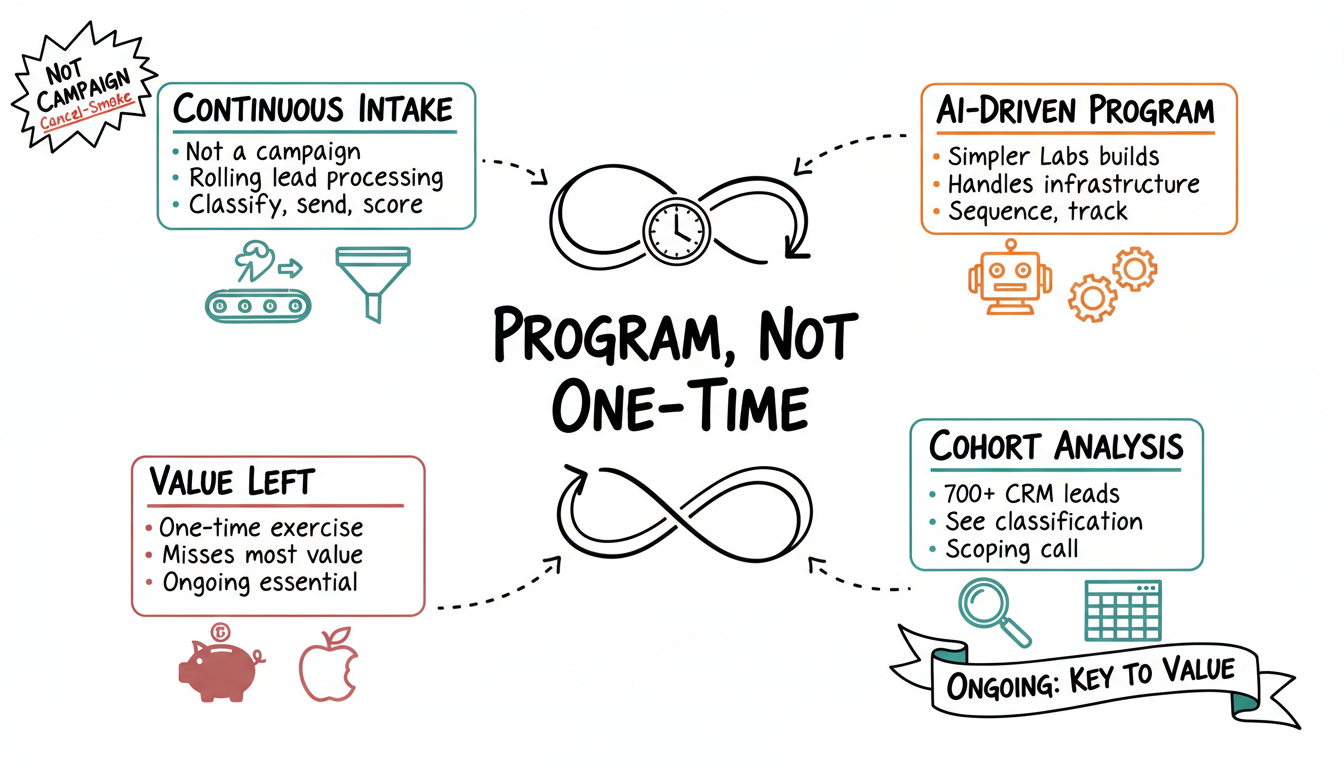
The Cancel-Smoke pattern is not a campaign. It is a continuous intake system that processes new leads into the dead lead pool on a rolling basis, classifies them, drafts their sequence, sends, scores, and routes. Running it as a one-time exercise leaves most of the value on the table.
Simpler Labs builds and operates this type of AI-driven reactivation program for training and certification companies. We handle the infrastructure setup, the knowledge base build, the sequence generation, and the outcome tracking. If you have 700 or more unconverted CRM leads and want to know what your cancel-smoke cohort looks like, book a scoping call. We will show you what the classification layer surfaces before you commit to anything.